What Is a Topic Cluster? Complete Guide to Topic Clusters & Pillar Pages (2025)
Category: Content Marketing
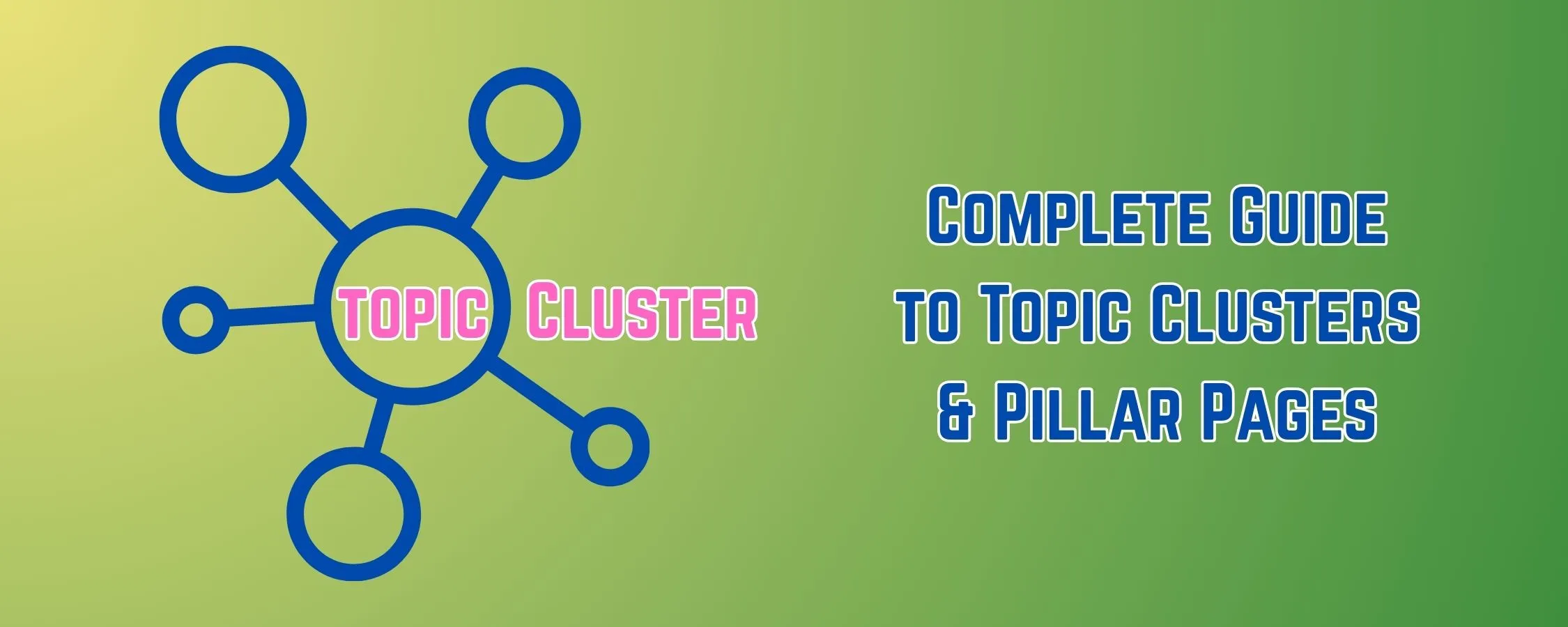
Google has changed. The old way of targeting one keyword per page no longer works like it used to. Today, search engines want to see that you truly understand a subject-not just a single phrase.
That's where the topic cluster comes in.
A topic cluster is a strategic way to organize your website content around core themes. Instead of creating random blog posts, you build interconnected content that proves your expertise on a subject. Google sees this structure, understands your authority and rewards you with better rankings.
Why does this matter in 2025? Because Google now uses semantic search and AI to understand relationships between topics. Websites that demonstrate deep organized knowledge outrank those with scattered, disconnected pages.
The benefits are real:
- Higher search rankings across multiple keywords
- Stronger internal linking that helps Google crawl your site
- Better user experience as visitors find related content easily
- Increased topical authority that builds over time
This complete guide covers everything about topic clusters and pillar pages. You'll learn what they are, how to build them, see real examples, get templates and discover the exact step-by-step workflow to implement this strategy on your site.
Let's make your content work smarter.
What Is a Topic Cluster?
A topic cluster is an SEO content strategy where one comprehensive "pillar page" covers a broad topic, while multiple related "cluster pages" explore specific subtopics in depth. All cluster pages link back to the pillar page and to each other, creating an interconnected content ecosystem that signals topical authority to search engines and improves rankings across all related keywords.
Think of it like a wheel. The pillar page is the hub at the center. The cluster pages are the spokes extending outward. Internal links are the connections holding everything together.
This structure tells Google: "We don't just know a little about this topic-we know everything about it."
What Are Pillar Pages?
Understanding the difference between pillar pages and cluster content is essential for building an effective cluster content strategy.
Pillar Pages Explained
A pillar page is a comprehensive, long-form piece of content that covers a broad topic in its entirety. It's the foundation of your topic cluster-the central hub that everything else connects to.
Characteristics of pillar pages:
- Cover a broad topic comprehensively (usually 3,000-5,000+ words)
- Target high-volume, competitive keywords
- Provide an overview of all subtopics
- Link out to all cluster pages
- Serve as the main authority page for a topic
- Answer the primary question while pointing to deeper content
Example: A pillar page titled "The Complete Guide to Email Marketing" would cover everything about email marketing at a high level-strategy, tools, automation, design, deliverability and metrics.
Cluster Content Explained
Cluster pages (also called cluster content or supporting content) are focused articles that dive deep into specific subtopics related to your pillar page.
Characteristics of cluster pages:
- Focus on one specific subtopic
- Target long-tail, lower-competition keywords
- Provide detailed, actionable information
- Link back to the pillar page
- Link to other relevant cluster pages
- Usually 1,500-2,500 words
Example: Cluster pages for the email marketing pillar might include:
- "How to Write Email Subject Lines That Get Opens"
- "Email Automation Workflows for Beginners"
- "Best Email Marketing Tools Compared"
- "How to Improve Email Deliverability"
How They Connect: The Visual Structure
Here's how to visualize a topic cluster content strategy:
                    [Cluster: Subject Lines]
                           ↑↓
[Cluster: Automation] ←→ [PILLAR PAGE: Email Marketing Guide] ←→ [Cluster: Tools]
                           ↑↓
                    [Cluster: Deliverability]
                           ↑↓
                    [Cluster: List Building]
The connection rules:
- Every cluster page links TO the pillar page
- The pillar page links TO every cluster page
- Related cluster pages link to EACH OTHER
- All links use descriptive anchor text
Why Google Prefers This Structure
Google's algorithm has evolved to understand topics, not just keywords. Here's why structured content ecosystems rank better:
Semantic Understanding: Google's AI (like BERT and MUM) recognizes when content pieces are related and reinforce each other.
Crawl Efficiency: Clear internal linking helps Google discover and index all your content faster.
User Signals: Visitors who find well-organized content stay longer, click more pages and engage more-all positive ranking signals.
Authority Signals: Covering a topic comprehensively from multiple angles proves expertise, which aligns with E-E-A-T guidelines.
Read more: Google: E-E-A-T Quality Guidelines
How Topic Clusters Improve SEO
Here's why SEO topic clusters have become essential for ranking in 2025:
🎯 Contextual Relevance
- Google understands topics through context, not just keywords
- Cluster pages provide that context for your pillar page
- Each supporting article reinforces what your site is about
- Related content helps Google categorize your site accurately
🏆 Semantic Authority
- Covering all angles of a topic proves comprehensive knowledge
- Multiple related pages signal deep expertise
- Your site becomes the go-to resource for the topic
- Authority compounds as you add more cluster content
🔗 Stronger Internal Linking
- Strategic links pass authority between pages
- Pillar pages accumulate link equity from all cluster pages
- Internal links help Google understand content relationships
- Users navigate easily between related content
🕷️ Improved Crawling & Indexing
- Clear structure helps Google bots navigate your site
- New content gets discovered faster through existing links
- Orphan pages (pages with no links) are eliminated
- Crawl budget is used more efficiently
📈 Higher Topical Rankings
- Rank for dozens of related keywords, not just one
- Long-tail keywords in cluster pages drive traffic
- Pillar pages rank for competitive head terms
- Overall organic visibility increases dramatically
✅ E-E-A-T Signals
- Demonstrates Experience through comprehensive coverage
- Shows Expertise with detailed, accurate information
- Builds Authoritativeness through interconnected content
- Establishes Trustworthiness with organized, helpful resources
👤 Better User Experience
- Visitors find answers quickly
- Related content keeps users engaged
- Logical organization reduces bounce rates
- Clear paths guide users through your content
Topic Cluster vs. Pillar Page - What's the Difference?
Many people confuse these terms. Here's a clear breakdown:
| Aspect | Pillar Page | Cluster Page (Topic Cluster Content) |
|---|---|---|
| Purpose | Broad overview of entire topic | Deep dive into one subtopic |
| Length | Long-form (3,000-5,000+ words) | Medium-length (1,500-2,500 words) |
| Keyword Target | High-volume, competitive | Long-tail, specific |
| Content Depth | Wide but not deep | Narrow but very deep |
| Search Intent | Informational/overview | Specific questions/problems |
| Internal Links | Links TO all cluster pages | Links TO pillar page + related clusters |
| Position in Strategy | Central hub | Supporting spokes |
| Quantity | One per topic | Multiple (5-20+ per pillar) |
| Update Frequency | Regular updates as topic evolves | Less frequent updates |
| Examples | "Complete Guide to SEO" | "How to Do Keyword Research" |
Key Insight: A topic cluster is the entire system-the pillar page PLUS all the cluster pages PLUS the internal links connecting them. The pillar page is just one piece of that system.
How to Build an SEO Topic Cluster (Step-by-Step)
Follow this workflow to create your own content cluster strategy:
Step 1: Identify Your Pillar Topic
Your pillar topic should be:
- Broad enough to support 10-20+ subtopics
- Relevant to your business and audience
- Something you can genuinely demonstrate expertise in
- Valuable enough that people search for it
How to find pillar topics:
- List your core offerings: What products, services or expertise do you provide?
- Identify customer questions: What do people ask before buying?
- Check search volume: Use keyword tools to verify demand
- Analyze competition: Can you realistically compete?
Example Process:
A fitness coaching business might identify these potential pillars:
- Weight Loss (broad, high volume)
- Strength Training (broad, high volume)
- Nutrition for Athletes (focused, good volume)
- Home Workout Programs (focused, growing volume)
Template: Pillar Topic Evaluation
| Potential Pillar | Relevance to Business | Search Volume | Competition | Subtopic Potential | Score (1-5) |
|---|---|---|---|---|---|
| [Topic 1] | High/Medium/Low | [Volume] | High/Medium/Low | [# of subtopics] | [Score] |
| [Topic 2] | High/Medium/Low | [Volume] | High/Medium/Low | [# of subtopics] | [Score] |
Step 2: Map Subtopics & Keywords
Once you have your pillar topic, identify all the subtopics that support it.
Methods for finding subtopics:
Google's "People Also Ask"
- Search your pillar topic
- Note every question in the PAA box
- Click questions to reveal more
- These become cluster page ideas
Keyword Research Tools
- Use Ahrefs, Semrush or Ubersuggest
- Look for related keywords and questions
- Filter for long-tail variations
- Group keywords by subtopic
Competitor Analysis
- Find competitors ranking for your pillar topic
- Analyze their content structure
- Identify subtopics they cover
- Find gaps they've missed
Customer Research
- Review support tickets and FAQs
- Check community forums and Reddit
- Survey your audience
- Analyze chatbot/chat logs
Example Subtopic Map
Pillar Topic: Email Marketing
| Subtopic | Target Keyword | Search Volume | Content Type |
|---|---|---|---|
| Subject Lines | email subject line tips | 2,400/mo | How-to guide |
| Automation | email automation for beginners | 1,900/mo | Beginner guide |
| Tools | best email marketing software | 8,100/mo | Comparison |
| Deliverability | improve email deliverability | 1,300/mo | Technical guide |
| List Building | how to build email list | 4,400/mo | Strategy guide |
| Segmentation | email segmentation strategies | 880/mo | Advanced guide |
| Templates | email marketing templates | 3,600/mo | Resource + examples |
| Metrics | email marketing KPIs | 720/mo | Analytics guide |
Step 3: Use SEO Tools for Validation
Before creating content, validate your topic cluster plan with SEO tools.
Recommended tools and how to use them:
Ahrefs:
- Keywords Explorer → Find search volume and difficulty
- Content Gap → Find topics competitors rank for that you don't
- Site Explorer → Analyze competitor topic clusters
Semrush:
- Topic Research → Get content ideas organized by subtopic
- Keyword Magic Tool → Find all related keywords
- SEO Content Template → Get optimization recommendations
Surfer SEO:
- Content Planner → Build topic clusters visually
- Keyword Research → Find related terms
- Content Editor → Optimize as you write
Example Prompt for AI-Assisted Research:
I'm building a topic cluster about [PILLAR TOPIC].

Please help me identify:
1. 15-20 potential subtopics for cluster pages
2. Specific questions people ask about each subtopic
3. The search intent for each subtopic (informational, commercial, transactional)
4. How to logically group related subtopics
5. Potential content gaps competitors might miss

Format as a table with columns: Subtopic, Main Question, Search Intent, Related Keywords, Content Type
Step 4: Create a Pillar Page Outline
Your pillar page needs to cover the entire topic while pointing readers to deeper content.
Pillar Page Structure Template:
H1: [Pillar Topic] - Complete Guide

Introduction
- Hook the reader
- Explain what they'll learn
- Preview the content structure

H2: What Is [Topic]? (Featured Snippet optimized)
- Clear definition
- Why it matters

H2: Why [Topic] Is Important
- Benefits
- Statistics/proof
- Link to relevant cluster page

H2: [Subtopic 1 Overview]
- High-level explanation
- Key points
- "Learn more: [Link to Cluster Page 1]"

H2: [Subtopic 2 Overview]
- High-level explanation
- Key points
- "Learn more: [Link to Cluster Page 2]"

[Continue for all major subtopics]

H2: How to Get Started with [Topic]
- Step-by-step process
- Link to detailed cluster guides

H2: Common Mistakes to Avoid
- Brief overview
- Links to detailed cluster content

H2: Tools & Resources
- Overview of tools
- Link to comparison cluster page

H2: FAQs
- Answer common questions
- Link to detailed cluster pages for deeper answers

Conclusion
- Summary
- Call to action
Key pillar page principles:
- Cover everything at a high level
- Don't go too deep on any subtopic (that's what cluster pages are for)
- Include clear CTAs to read cluster pages for details
- Use the pillar page as a navigation hub
- Update regularly as you add cluster content
Step 5: Create Supporting Cluster Content
Now create the individual cluster pages that support your pillar.
Cluster Content Best Practices:
Go Deep, Not Wide
- Each cluster page focuses on ONE subtopic
- Answer every question about that subtopic
- Be the most comprehensive resource for that specific topic
Match Search Intent
- Understand what users want when searching
- Informational? Provide thorough explanations
- Commercial? Compare options and give recommendations
- Transactional? Focus on conversions
Include Clear CTAs
- Link back to the pillar page
- Link to related cluster pages
- Provide next steps for readers
Example Cluster Page Structure:
H1: [Specific Subtopic] - Complete Guide

Introduction
- Address the specific problem
- Preview the solution
- Mention this is part of larger [Pillar Topic] guide

H2: What Is [Subtopic]?
- Detailed definition
- Context within broader topic

H2: Why [Subtopic] Matters
- Benefits
- Real examples

H2: How to [Do the Thing]
- Step-by-step instructions
- Examples and templates

H2: Best Practices
- Tips for success
- Common mistakes

H2: Tools for [Subtopic]
- Specific recommendations

H2: Examples
- Real-world applications

Conclusion
- Summary
- Link to pillar page: "Read our complete guide to [Pillar Topic]"
- Link to related cluster: "Next, learn about [Related Subtopic]"
Step 6: Build Internal Linking Structure
This is where the magic happens. Proper internal linking turns individual pages into a powerful topic cluster.
Linking Rules:
| From | To | Anchor Text Example |
|---|---|---|
| Every cluster page | Pillar page | "complete guide to [pillar topic]" |
| Pillar page | Every cluster page | "[subtopic] guide" or natural phrase |
| Cluster page | Related cluster pages | Natural, contextual phrases |
Linking Best Practices:
- Use descriptive anchor text - Not "click here" but "email subject line guide"
- Link contextually - Place links where they naturally fit the content
- Prioritize user value - Every link should help the reader
- Don't over-link - 3-5 internal links per 1,000 words is usually enough
- Update old content - Add links to new cluster pages as you publish them
Example Internal Linking Map:
Pillar: Email Marketing Guide
├── Links to: Subject Lines Guide
├── Links to: Automation Guide
├── Links to: Tools Comparison
├── Links to: Deliverability Guide
└── Links to: List Building Guide

Cluster: Subject Lines Guide
├── Links to: Pillar (Email Marketing Guide)
├── Links to: Automation Guide (related)
└── Links to: Deliverability Guide (related)

Cluster: Automation Guide
├── Links to: Pillar (Email Marketing Guide)
├── Links to: Subject Lines Guide (related)
└── Links to: Tools Comparison (related)
Step 7: Optimize User Experience
Your topic cluster should be easy to navigate.
UX Optimization Tips:
On Pillar Pages:
- Add a clickable table of contents
- Include "jump to" links for each section
- Create a visual cluster map readers can explore
- Use clear headings that match cluster page topics
On Cluster Pages:
- Include breadcrumbs showing the content hierarchy
- Add "Related Reading" sections
- Create "Next Steps" suggestions
- Link back to the pillar page prominently
Site-Wide:
- Create a resource hub page listing all clusters
- Add topic-based navigation menus
- Use categories and tags consistently
- Implement search functionality
Step 8: Measure Cluster Performance
Track these metrics to understand how your topic cluster performs:
Traffic Metrics:
- Organic traffic to pillar page
- Organic traffic to cluster pages
- Total traffic to entire cluster
- Traffic growth over time
Ranking Metrics:
- Keyword rankings for pillar keywords
- Keyword rankings for cluster keywords
- Featured snippets won
- Position changes over time
Engagement Metrics:
- Average time on page
- Pages per session (for cluster visitors)
- Bounce rate
- Internal link clicks
Conversion Metrics:
- Leads generated from cluster
- Conversions by page
- Revenue attributed to cluster traffic
Template: Topic Cluster Performance Dashboard
| Metric | Pillar Page | Cluster Average | Total Cluster |
|---|---|---|---|
| Monthly Organic Traffic | [#] | [#] | [#] |
| Primary Keyword Ranking | [Position] | [Avg Position] | [# Keywords Ranked] |
| Avg. Time on Page | [Time] | [Time] | [Time] |
| Internal Link CTR | [%] | [%] | N/A |
| Conversions | [#] | [#] | [#] |
Read more: How to Track Content Marketing ROI
Topic Cluster Examples
Here are real-world SEO pillar pages and cluster examples across different industries:
Example 1: SEO & Digital Marketing
Pillar Page: "The Complete Guide to SEO" (targeting "SEO guide")
Cluster Pages:
| Cluster Topic | Target Keyword | Content Focus |
|---|---|---|
| Keyword Research | how to do keyword research | Research methodology |
| On-Page SEO | on-page SEO checklist | Page optimization |
| Technical SEO | technical SEO audit | Site health |
| Link Building | link building strategies | Authority building |
| Local SEO | local SEO guide | Location-based search |
| SEO Tools | best SEO tools | Tool comparisons |
| Content SEO | SEO content writing | Content optimization |
| Mobile SEO | mobile SEO best practices | Mobile optimization |
Linking Structure:
- Pillar links to all 8 cluster pages within relevant sections
- Each cluster page links to pillar with "complete SEO guide" anchor
- Technical SEO links to On-Page SEO (related optimization topics)
- Content SEO links to Keyword Research (content planning connection)
- All cluster pages link to 2-3 related clusters
Example 2: Fitness & Health
Pillar Page: "Strength Training for Beginners: Complete Guide" (targeting "strength training beginners")
Cluster Pages:
| Cluster Topic | Target Keyword | Content Focus |
|---|---|---|
| Compound Exercises | best compound exercises | Exercise education |
| Progressive Overload | progressive overload explained | Training principles |
| Workout Splits | best workout split for beginners | Program structure |
| Home Gym Setup | home gym essentials | Equipment |
| Recovery | muscle recovery tips | Rest and nutrition |
| Form Guides | proper squat form | Technique |
| Beginner Programs | 12-week strength program | Actionable workouts |
| Nutrition for Lifting | protein for muscle building | Diet support |
Linking Structure:
- Pillar provides overview of training principles, links to Progressive Overload for details
- Pillar covers exercise basics, links to Compound Exercises and Form Guides
- Workout Splits links to Beginner Programs (program planning flow)
- Recovery links to Nutrition (complementary topics)
- Home Gym links to Compound Exercises (equipment for specific exercises)
Example 3: Personal Finance
Pillar Page: "How to Budget: Complete Money Management Guide" (targeting "how to budget")
Cluster Pages:
| Cluster Topic | Target Keyword | Content Focus |
|---|---|---|
| Budgeting Methods | 50/30/20 budget rule | Methodology |
| Expense Tracking | how to track expenses | Practical skills |
| Emergency Fund | how to build emergency fund | Saving priorities |
| Debt Payoff | debt avalanche vs snowball | Debt strategy |
| Budget Apps | best budgeting apps | Tool recommendations |
| Saving Money | money-saving tips | Practical savings |
| Budget Templates | monthly budget template | Resources |
| Living on a Budget | how to stick to a budget | Behavior change |
Linking Structure:
- Pillar overviews all budgeting methods, links to 50/30/20 details
- Pillar mentions tracking, links to Expense Tracking guide
- Emergency Fund links to Pillar (part of budgeting) and Debt Payoff (priority decision)
- Budget Apps links to Expense Tracking (tool for the task)
- Living on a Budget links to Saving Money (practical tips)
Example 4: SaaS / B2B
Pillar Page: "Customer Retention: Complete Strategy Guide" (targeting "customer retention strategies")
Cluster Pages:
| Cluster Topic | Target Keyword | Content Focus |
|---|---|---|
| Churn Reduction | how to reduce churn | Problem-focused |
| Customer Success | customer success program | Team/process |
| Onboarding | customer onboarding best practices | Early retention |
| NPS & Feedback | how to improve NPS | Measurement |
| Loyalty Programs | B2B loyalty program ideas | Retention tactics |
| Customer Health Scores | customer health score | Prediction |
| Retention Metrics | customer retention rate formula | Analytics |
| Win-Back Campaigns | customer win-back email | Re-engagement |
Linking Structure:
- Pillar links to Churn Reduction when discussing the problem
- Pillar links to Customer Success when discussing solutions
- Onboarding links to Customer Health Scores (early warning)
- NPS links to Retention Metrics (measurement cluster)
- Win-Back links to Churn Reduction (prevention vs. recovery)
Example 5: Real Estate
Pillar Page: "First-Time Home Buyer Guide: Everything You Need to Know" (targeting "first-time home buyer guide")
Cluster Pages:
| Cluster Topic | Target Keyword | Content Focus |
|---|---|---|
| Mortgage Types | types of mortgages explained | Financing education |
| Down Payment | how much down payment for house | Financial planning |
| Credit Score | credit score for mortgage | Qualification |
| Home Inspection | home inspection checklist | Due diligence |
| Closing Costs | home closing costs explained | Transaction costs |
| Real Estate Agent | how to choose a realtor | Professional help |
| Home Buying Process | steps to buying a house | Process overview |
| First-Time Buyer Programs | first-time buyer assistance programs | Financial help |
Linking Structure:
- Pillar walks through buying process, links to each stage's cluster page
- Mortgage Types links to Down Payment and Credit Score (related financing)
- Home Inspection links to Closing Costs (both part of transaction phase)
- Real Estate Agent links to Home Buying Process (who helps with what)
- First-Time Buyer Programs links to Down Payment (financial assistance context)
Internal Linking Strategy for Topic Clusters
Effective internal linking is what transforms individual pages into a powerful content clusters strategy.
Hub-and-Spoke Linking Model
The hub-and-spoke model is the foundation of topic cluster linking:
The Hub (Pillar Page):
- Receives links FROM all cluster pages
- Sends links TO all cluster pages
- Accumulates the most internal link equity
- Ranks for the most competitive keywords
The Spokes (Cluster Pages):
- Link TO the pillar page (required)
- Link TO 2-4 related cluster pages (recommended)
- Receive links FROM the pillar page
- Receive links FROM related cluster pages
Link Priority Guidelines
Not all internal links carry equal weight. Prioritize strategically:
Highest Priority Links:
- Cluster pages → Pillar page (every cluster page must link to pillar)
- Pillar page → Each cluster page (distribute authority)
- Highly related cluster pages → Each other (strengthen connections)
Medium Priority Links:
- Cluster pages → Other topic cluster pillars (cross-cluster connections)
- Service/product pages → Relevant pillar pages (commercial intent)
Lower Priority (but still valuable):
- Footer/sidebar navigation to pillars
- Homepage to pillar pages
- Related posts widgets
Anchor Text Best Practices
Your anchor text tells Google what the linked page is about:
Do This:
- Use descriptive, keyword-relevant anchor text
- Vary anchor text naturally (don't use exact match every time)
- Match anchor text to the linked page's topic
- Write anchors that make sense in context
Examples of Good Anchor Text Variation:
For a link to a page about "email subject lines":
- "email subject line best practices" (keyword-rich)
- "writing subject lines that get opens" (benefit-focused)
- "our guide to subject lines" (branded)
- "subject line strategies" (variation)
- "tips for better email headlines" (semantic variation)
Avoid:
- "Click here"
- "Read more"
- "This article"
- Over-optimized exact-match anchors on every link
Link Depth Considerations
Link depth refers to how many clicks it takes to reach a page from your homepage.
Optimal Structure:
- Homepage → 1 click → Pillar pages
- Pillar pages → 1 click → Cluster pages
- Any page should be reachable in 3 clicks or fewer
Why This Matters:
- Shallow pages get crawled more frequently
- Link equity flows more strongly to pages closer to homepage
- Users find content faster
- Google can discover and index pages quicker
Crawl Optimization Tips
Help Google efficiently crawl your topic cluster:
- Submit updated sitemaps when adding cluster pages
- Use breadcrumb navigation to show content hierarchy
- Avoid orphan pages (pages with no internal links pointing to them)
- Fix broken internal links regularly
- Link to new cluster pages from existing content immediately
- Create a resource hub that links to all pillar pages
Read more: Internal Linking Guide from MOZ
Best Practices for Topic Cluster Content Strategy
Follow these best practices to maximize your pillar pages SEO results:
1. Start with Your Most Important Topic
Choose a pillar topic central to your business. Your first topic cluster should directly support your primary products or services.
2. Plan the Entire Cluster Before Writing
Map out all cluster pages before creating any content. This prevents gaps, overlaps and disconnected content.
3. Ensure Each Cluster Page Has Unique Value
Every cluster page should have a distinct purpose and target unique keywords. No two pages should compete for the same searches.
4. Match Content Depth to Search Intent
Some subtopics need 3,000-word guides. Others need quick 800-word answers. Let search intent guide content length.
5. Update Your Pillar Page as You Add Clusters
When you publish a new cluster page, add a link to it from your pillar page. Keep the pillar current and comprehensive.
6. Create Cluster Pages Consistently
Don't publish all cluster pages at once, then stop. Add new content regularly to show Google your topic expertise is growing.
7. Prioritize Cluster Pages by Keyword Opportunity
Create cluster pages targeting higher-volume, lower-competition keywords first. Quick wins build momentum.
8. Use Consistent Formatting Across Cluster Pages
Create templates for cluster content. Consistent structure helps users navigate and helps you produce content efficiently.
9. Include CTAs That Guide Users Through the Cluster
Every page should suggest next steps: read the pillar, explore a related cluster or take action.
10. Monitor and Improve Underperforming Pages
Some cluster pages will outperform others. Analyze what works, update weak pages and double down on winners.
11. Build External Links to Your Pillar Page
When earning backlinks, prioritize your pillar pages. Link equity flows from pillars to clusters through internal links.
12. Don't Neglect Older Clusters
Revisit existing topic clusters annually. Update statistics, add new cluster pages, refresh outdated information.
Common Mistakes to Avoid
These errors undermine your SEO topic clusters:
❌ Mistake 1: Weak Internal Linking
The Problem: Creating cluster pages but failing to link them properly to the pillar and each other.
The Fix: Audit internal links monthly. Use tools like Screaming Frog or Ahrefs to find orphan pages. Create a linking checklist for every new page.
❌ Mistake 2: Duplicate or Overlapping Cluster Articles
The Problem: Creating multiple cluster pages targeting similar keywords that compete with each other.
The Fix: Map keywords before writing. Ensure each cluster page has a distinct primary keyword. Consolidate overlapping content into single, stronger pages.
❌ Mistake 3: Overly Broad Pillar Pages
The Problem: Creating a pillar page so broad that it lacks focus or so long that it overwhelms readers.
The Fix: Choose pillar topics that are broad enough to support 10-20 subtopics but focused enough to have a clear scope. If your pillar exceeds 6,000 words, you may need to narrow the topic.
❌ Mistake 4: Missing Search Intent
The Problem: Creating cluster content that doesn't match what users actually want when they search.
The Fix: Before writing, search your target keyword and analyze the top 10 results. What format do they use? What questions do they answer? Match their intent.
❌ Mistake 5: Insufficient Depth in Cluster Pages
The Problem: Cluster pages that skim the surface instead of providing comprehensive answers.
The Fix: Each cluster page should be the best resource for its specific subtopic. Include examples, steps, templates and answers to all related questions.
❌ Mistake 6: Creating Clusters for Irrelevant Topics
The Problem: Building topic clusters on subjects that don't connect to your business or expertise.
The Fix: Every topic cluster should relate to your core offerings. Visitors who find your cluster content should be potential customers.
❌ Mistake 7: Ignoring Technical SEO
The Problem: Well-organized content that's slow to load, not mobile-friendly or has crawl issues.
The Fix: Ensure all cluster pages load quickly, work on mobile, have proper meta tags and are indexable. Technical issues undermine content quality.
❌ Mistake 8: Not Tracking Performance by Cluster
The Problem: Tracking overall site traffic without understanding which topic clusters perform best.
The Fix: Set up content groupings in Google Analytics. Track traffic, conversions and rankings for each topic cluster separately.
Tools for Creating and Managing Topic Clusters
Build your topic cluster toolkit:
Keyword Research Tools
| Tool | Best For | Key Features |
|---|---|---|
| Ahrefs | Comprehensive keyword data | Keywords Explorer, Content Gap, competitive analysis |
| Semrush | Topic research | Topic Research tool, Keyword Magic Tool |
| Ubersuggest | Budget-friendly option | Keyword ideas, content suggestions |
| AnswerThePublic | Question-based keywords | Visual question maps |
| AlsoAsked | PAA mining | People Also Ask data |
Content Planning Tools
| Tool | Best For | Key Features |
|---|---|---|
| Notion | Flexible planning | Databases, templates, collaboration |
| Airtable | Database approach | Custom views, linking records |
| Trello | Visual workflows | Kanban boards, checklists |
| Asana | Team projects | Task management, timelines |
| Google Sheets | Simple planning | Accessible, customizable |
Internal Linking Tools
| Tool | Best For | Key Features |
|---|---|---|
| Link Whisper | WordPress linking | Automatic link suggestions |
| Yoast SEO | Basic linking | Internal link count, suggestions |
| Screaming Frog | Link audits | Crawl analysis orphan pages |
| Ahrefs Site Audit | Link analysis | Internal link opportunities |
Content Optimization Tools
| Tool | Best For | Key Features |
|---|---|---|
| Surfer SEO | On-page optimization | Content Editor, SERP analyzer |
| Clearscope | Enterprise optimization | Content grading, recommendations |
| MarketMuse | Content planning | Topic modeling, gap analysis |
| Frase | Research + optimization | AI briefs, optimization |
| NeuronWriter | AI-assisted | Content suggestions, NLP analysis |
Performance Tracking Tools
| Tool | Best For | Key Features |
|---|---|---|
| Google Search Console | Ranking data | Position tracking, impressions |
| Google Analytics | Traffic analysis | Content groupings, behavior flow |
| Ahrefs Rank Tracker | Keyword monitoring | Position history, SERP features |
| Semrush Position Tracking | Competitor comparison | Share of voice, visibility |
Specialized Topic Cluster Tools
| Tool | Best For | Key Features |
|---|---|---|
| HubSpot Content Strategy | Cluster visualization | Visual mapping, recommendations |
| WordLift | Schema + linking | Knowledge graphs, auto-linking |
| Surfer Content Planner | Cluster planning | AI-generated cluster maps |
Read more: Optimization for SEO
Topic Clusters & E-E-A-T - Why They Matter
Google's E-E-A-T guidelines (Experience, Expertise, Authoritativeness, Trustworthiness) directly connect to topic cluster strategy.
How Clusters Build Expertise
- Comprehensive coverage shows deep knowledge
- Multiple angles on a topic demonstrate thorough understanding
- Detailed cluster pages prove you can go beyond surface-level information
- Updated content shows ongoing expertise development
How Clusters Build Authoritativeness
- Internal links from multiple relevant pages build topical authority
- External sites are more likely to link to comprehensive resources
- Users share thorough guides more than thin content
- Search engines recognize sites that "own" topics
How Clusters Build Experience
- Practical examples in cluster pages show real-world application
- Case studies demonstrate hands-on knowledge
- Original insights prove direct experience with the topic
- Problem-solving content shows you understand user challenges
How Clusters Build Trust
- Organized structure makes information easy to verify
- Comprehensive resources build user confidence
- Consistent quality across cluster pages establishes reliability
- Accurate information in interlinked pages reinforces credibility
Long-Term Ranking Stability
Sites with strong topic clusters experience:
- More stable rankings during algorithm updates
- Faster recovery from ranking fluctuations
- Sustained traffic growth over time
- Protection against new competitors entering the space
The bottom line: Topic clusters don't just help you rank-they help you stay ranked.
Conclusion
Topic clusters have become essential for SEO success in 2025. By organizing content around pillar pages and supporting cluster content, you build the topical authority that search engines reward.
The strategy is straightforward:
- Choose a core topic that matters to your audience
- Create a comprehensive pillar page
- Develop detailed cluster pages for each subtopic
- Connect everything with strategic internal links
- Measure, optimize and expand over time
The websites winning in organic search aren't creating random content. They're building interconnected content ecosystems that prove expertise, serve users thoroughly and earn Google's trust.
Start with one topic cluster. Do it right. Then build another. Over time, you'll develop a content foundation that drives sustainable organic traffic for years.
Your expertise deserves to be organized in a way that both users and search engines can appreciate. Topic clusters make that happen.
Or if you need Experts Guidance Click Here to get a Free Consultation
Frequently Asked Questions About Topic Clusters & Pillar Pages
Most effective topic clusters contain 8-15 cluster pages plus one pillar page. However, the right number depends on your topic's scope. Some broad topics (like "digital marketing") might support 25+ cluster pages, while narrower topics might only need 5-8. Focus on covering all valuable subtopics rather than hitting a specific number.
Pillar pages typically range from 3,000-5,000 words, though some exceed 7,000 words for complex topics. Length should be determined by how much content is needed to comprehensively overview the topic while linking to detailed cluster pages. Don't pad for length-focus on value and completeness.
Yes, topic clusters significantly improve rankings when implemented correctly. They help by: (1) building topical authority through comprehensive coverage, (2) improving internal linking structure, (3) helping Google understand content relationships and (4) satisfying user intent more thoroughly. Multiple case studies show 50-200%+ traffic increases from cluster strategies.
Absolutely. Pillar pages are more relevant than ever as Google's algorithms become better at understanding topical relationships and user intent. The shift toward semantic search and AI-powered ranking systems rewards comprehensive, well-organized content-exactly what pillar pages provide.
Most topic clusters begin showing measurable results within 3-6 months, with significant results appearing at 6-12 months. The timeline depends on: your site's existing authority, competition level, content quality, how quickly you publish cluster content and how well you implement internal linking. Patience and consistent publishing accelerate results.
Yes, topic clusters are especially valuable for smaller websites. They help new sites establish authority in specific areas rather than trying to compete broadly. A focused cluster strategy helps smaller sites punch above their weight by becoming genuine authorities on targeted topics.
Yes. Whenever you publish a new cluster page, update your pillar page to include a link to it. This keeps your pillar comprehensive, maintains strong internal linking and signals to Google that your content is current and growing.
The terms are sometimes used interchangeably, but there are subtle differences. A content silo is a strict hierarchical structure where content stays within defined categories with limited cross-linking. A topic cluster is more flexible, allowing cluster pages to link to related content across different clusters when it benefits users. Topic clusters prioritize user experience and topical relevance over rigid structure.